Reviews · 12 min read
How to Get More Google Reviews: Scripts, Templates and Timing for Contractors
ALKOR SEO Team · · Updated
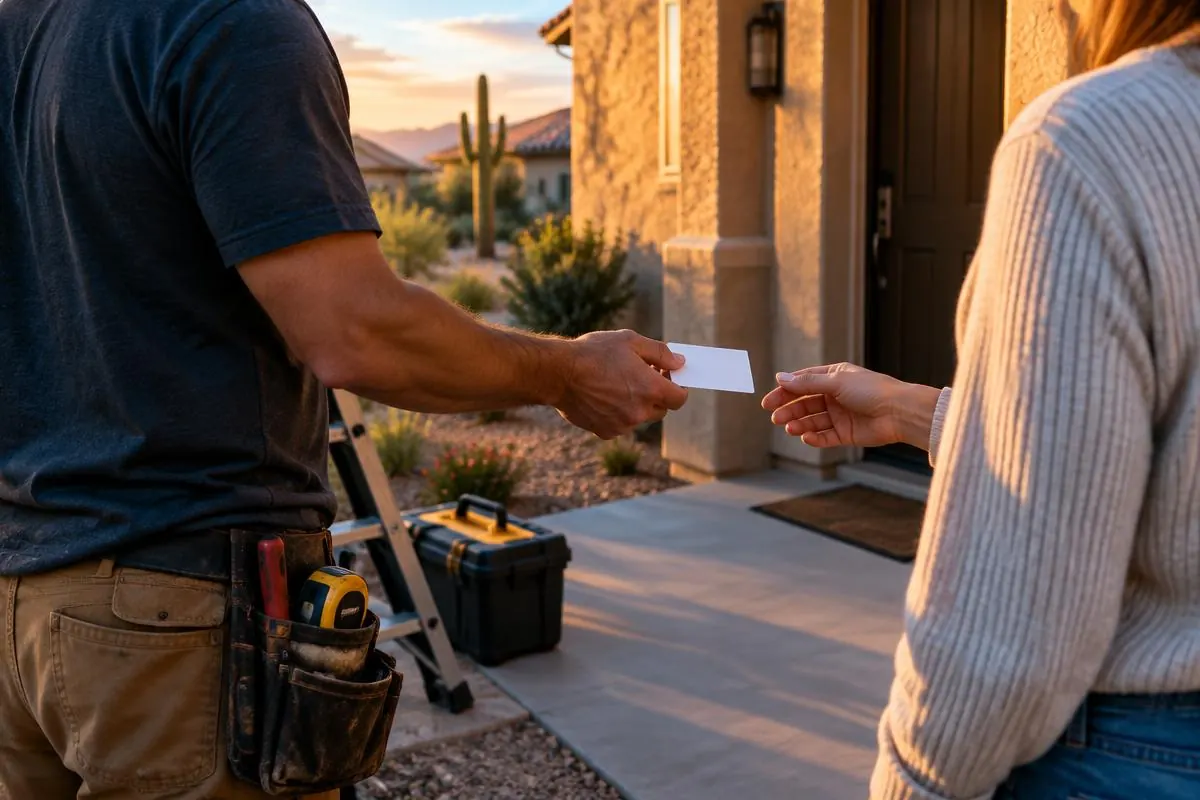
Most contractors do good work. Plenty of happy customers would gladly say so. The problem is that nobody asks them, or somebody asks once, weeks later, and the moment has passed.
If you want to know how to get more Google reviews, the answer isn't a trick. It's a habit. Ask at the right time, make it easy, and have the right person do the asking. Then do it on every job.
This guide gives you the timing, the tools and the exact words. It's written for roofers, concrete and pool contractors, remodelers, painters, excavators, builders, solar installers and foundation repair companies, but the system works for any contractor who finishes jobs at a customer's property.
Quick checklist
- Ask every customer, right after the job is finished.
- Have the crew lead or owner ask in person.
- Get a direct review link from your Google Business Profile.
- Send that link by text the same day.
- Put a QR code on a leave-behind card.
- Use short, copy-ready templates so asking takes seconds.
- Reply to every review, good or bad.
- Never pay, trade or filter for reviews.
- Add "ask for a review" to your job-closeout checklist.
Why Google reviews matter for contractors
Reviews do two jobs. They're one of the things Google looks at when deciding which local businesses to show, and they help homeowners decide who to call once they see you.
Hiring a contractor is a big decision. A homeowner about to let a crew tear off their roof, pour a driveway or dig up the backyard wants proof that other people trusted you and were glad they did. Reviews give them that proof in the customer's own words.
Reviews are one part of how your business shows up in the map results. For the rest of the picture, see our guide on how to rank higher on Google Maps.
When to ask for a review
Timing matters more than anything else here. The right moment is right after the job is finished. Ask every customer, the same way, every time.
That's when the result is in front of them. The new roof is on. The pool is filled. The kitchen is done and the dust is gone. The work is fresh in their mind, and you're standing right there.
Wait two weeks and the feeling fades. The job becomes a line on their bank statement. Fewer people may take the time to write a review once the job is in the past.
Some natural moments to ask:
- The final walkthrough. When you walk the finished job with the homeowner.
- Final payment. When they settle up.
- Inspection sign-off. For builders, solar installers and foundation repair crews, when the final inspection passes and the customer can relax.
For longer projects, like a remodel or a new build, you can also ask after a major milestone. But the main ask belongs at the finish line.
Who should ask
The crew lead or the owner. Not the office, not an automated email alone.
The customer has spent days or weeks with your crew. They know the lead by name. A request from the person who did the work feels personal. A request from a stranger in the office feels like marketing.
If you're the owner and you stop by at the end of the job, ask yourself. If you're not there, give your crew leads the script below and make it part of their job. Then follow up with a text so the customer has the link.
Make it easy to leave a review
Every extra step loses people. If a customer has to search for your business, find the reviews section and figure out where to tap, many won't finish. Your goal is to get them to the review box in one tap.
Get your direct review link
Your Google Business Profile has an option to share a link that takes customers straight to the review form. Find it in your profile, copy it and save it somewhere your whole team can grab it. This is the link you'll put in every text, email and QR code.
Test it on your own phone first. Make sure it opens the review form for the right business.
Put a QR code on a leave-behind card
A small card left with the customer at the end of the job works well. Print your logo, a short thank-you, and a QR code that opens your review link. The customer can scan it with their phone camera right there.
Crews can hand the card over during the final walkthrough. It also works if the customer wants to leave the review later, after they've had time to enjoy the finished work.
Send a text after the job
A text is fast and hard to miss. Send it the same day, ideally within a few hours of finishing. Keep it short, use the customer's name, and include the direct link. The template below is ready to use.
Use email as a backup
Email works well for customers who prefer it, or for bigger projects where you've been emailing all along. Keep it short. One link, one ask.
Google review request template
Here are three short templates you can copy and use. Change the bracketed parts to fit each job. Keep the tone your own.
Text message template
Hi [Customer Name], this is [Your Name] with [Your Company]. Thanks again for having us out for your [project type]. If you have a minute, we'd really appreciate a quick Google review. Here's the link: [Review Link]. Thank you!
Email template
Subject: Thanks from [Your Company]

Hi [Customer Name],

Thank you for choosing [Your Company] for your [project type]. It was a pleasure working with you.

If you have a couple of minutes, we'd be grateful if you shared your experience on Google. It helps other homeowners in [City] find a contractor they can trust.

Leave a review here: [Review Link]

If anything about the job isn't right, please reply to this email or call me at [Phone Number] so we can take care of it.

Thanks again,
[Your Name]
[Your Company]
Verbal script for the crew on site
"[Customer Name], we're all wrapped up. Thanks for trusting us with this. Would you mind leaving us a quick, honest Google review about how it went? It really helps a small company like ours. Here's a card with a QR code that takes you straight there, and I'll text you the link too."
A few tips on using them:
- Ask everyone the same way. Don't pick and choose who gets the link. More on this below.
- Don't tell customers what to write. Let them describe the job in their own words.
- Ask once, maybe follow up once. If they don't leave a review after a gentle reminder, let it go.
How to respond to Google reviews
Getting reviews is half the job. Replying is the other half. Future customers read your replies, and they show that a real person runs the business and cares how jobs turn out.
Try to reply to every review, and reply within a few days.
Responding to positive reviews
Keep it short and personal. Thank them by name, mention the job if you can, and invite them back. Don't paste the same reply on every review.
Example reply:
"Thanks so much, [Customer Name]! It was great working on your [project type] in [City]. We're glad the crew made it easy. Let us know if you ever need anything else. – [Your Name], [Your Company]"
Don't share private details about the customer or the job that they didn't share themselves.
Responding to negative reviews
A bad review stings. Wait until you're calm before you reply. Then keep it calm, specific and short, and take the conversation offline.
- Stay calm. Don't argue or get defensive. Other homeowners are reading.
- Be specific. Acknowledge the actual issue they raised, not a generic "sorry for any inconvenience."
- Take it offline. Give a name and a phone number so you can sort it out directly.
- Don't share private details. No invoice amounts, no "you never paid," no blame.
Example reply:
"[Customer Name], thank you for letting us know about the [issue]. That's not the experience we want anyone to have. I'd like to make this right. Please call me directly at [Phone Number] so we can talk it through. – [Your Name], [Your Company]"
Then actually call them. Sometimes a customer updates their review after a problem gets fixed. Even when they don't, your calm reply shows future customers how you handle things when a job goes sideways.
If a review is clearly fake, or from someone who was never your customer, you can report it through your Business Profile. Google decides what gets removed, so focus on replying well in the meantime.
What not to do
Some shortcuts look tempting but can violate Google's review policies. Breaking these rules can lead to reviews being removed and can put your profile at risk. Avoid all of these.
Offering discounts or gifts for reviews
No discounts, gift cards, free services or entries into a drawing in exchange for a review. Even a small thank-you gift tied to leaving a review can count as an incentive.
Review gating
Review gating means asking only the customers you think are happy, or screening customers first and sending only the happy ones to Google. Google's policies don't allow selectively asking for positive reviews. Ask every customer the same way.
Writing reviews for yourself
Don't post reviews about your own business, and don't have friends or family post as if they were customers.
Buying reviews
Don't pay any person or service for reviews. Purchased reviews can violate Google's policies and may also raise legal problems.
Reviews from employees
Your crew, office staff and their relatives shouldn't review your business. Reviews from people with a conflict of interest can violate Google's policies, even if the person means well.
The honest system in this guide takes longer than a shortcut. It also doesn't put your profile at risk.
Keep the momentum going
A steady flow of reviews over time is more useful than a burst followed by months of silence. It keeps your newest reviews recent, which homeowners notice.
The way to keep it going is to stop treating reviews as a side project.
Make it part of the job-closeout checklist
Most contractors already have a closeout routine: final walkthrough, punch list, photos, cleanup, invoice. Add one line: ask for a review. Then add a second: send the review text.
When asking is part of the checklist, it happens on every job instead of only when someone remembers.
Check in weekly
Once a week, look at your Business Profile. Reply to new reviews. Note which crews are getting reviews and which aren't, and talk about it. A little friendly attention goes a long way.
Share great reviews
A great review is worth showing off. With the customer's okay, you can share them as part of your social media management routine, alongside photos of the finished job. It reminds past customers you exist and shows new ones what to expect.
This approach works whether you're marketing a roofing company, running a remodeling business, or building pools. For remodelers, it fits right into the rest of your remodeling marketing.
Frequently asked questions
How do I ask customers for reviews without feeling pushy?
Ask in person at the end of the job, while you're both looking at the finished work. Keep it simple: thank them, ask if they'd leave a quick Google review, and hand them a card or text them the link. Asking once, with a single follow-up if needed, isn't pushy. It's normal.
Is it OK to send a reminder if a customer doesn't leave a review?
One friendly reminder a few days later is reasonable. Keep it short and include the link again. After that, let it go. Repeated reminders can annoy a customer who was happy with your work.
Should I respond to every Google review?
Yes, if you can. Thank people for positive reviews and reply calmly to negative ones. Your replies show future customers that you pay attention and stand behind your work.
Can I offer a discount if a customer leaves a review?
No. Offering discounts, gifts or anything else in exchange for a review can violate Google's review policies and put your profile at risk. Ask every customer the same way and let them decide.
Want to know how your reviews stack up?
Reviews are one piece of how you show up in local search. Your profile, your website and your listings all play a part too. We'll review your Google Business Profile, check your website, and look at the local competitors showing up ahead of you, then show you what we'd fix first. Get your free local SEO report, or call 623-244-1009 for a same-day quote.
We work with contractors across the Phoenix Valley and nationwide. Learn more about our local SEO services.